

If your business website looks attractive and modern but fails in terms of conversions and lead generation, then you are not alone. Many business owners invest in websites which looks good but ignores one of the most important aspect of a website which is UX audit.
A UX audit checklist for business websites helps you identify what is making your users confused, and what is preventing them from taking expected actions. Most of the time it is not the problem of traffic, it is the experience.
In this article I will break down the UX audit for websites in simple terms so that everyone can understand.
Whether you are a Startup owner or a business manager, through this article you will learn exactly how to review your website and improve conversions, SEO and usability.
What is a UX audit?
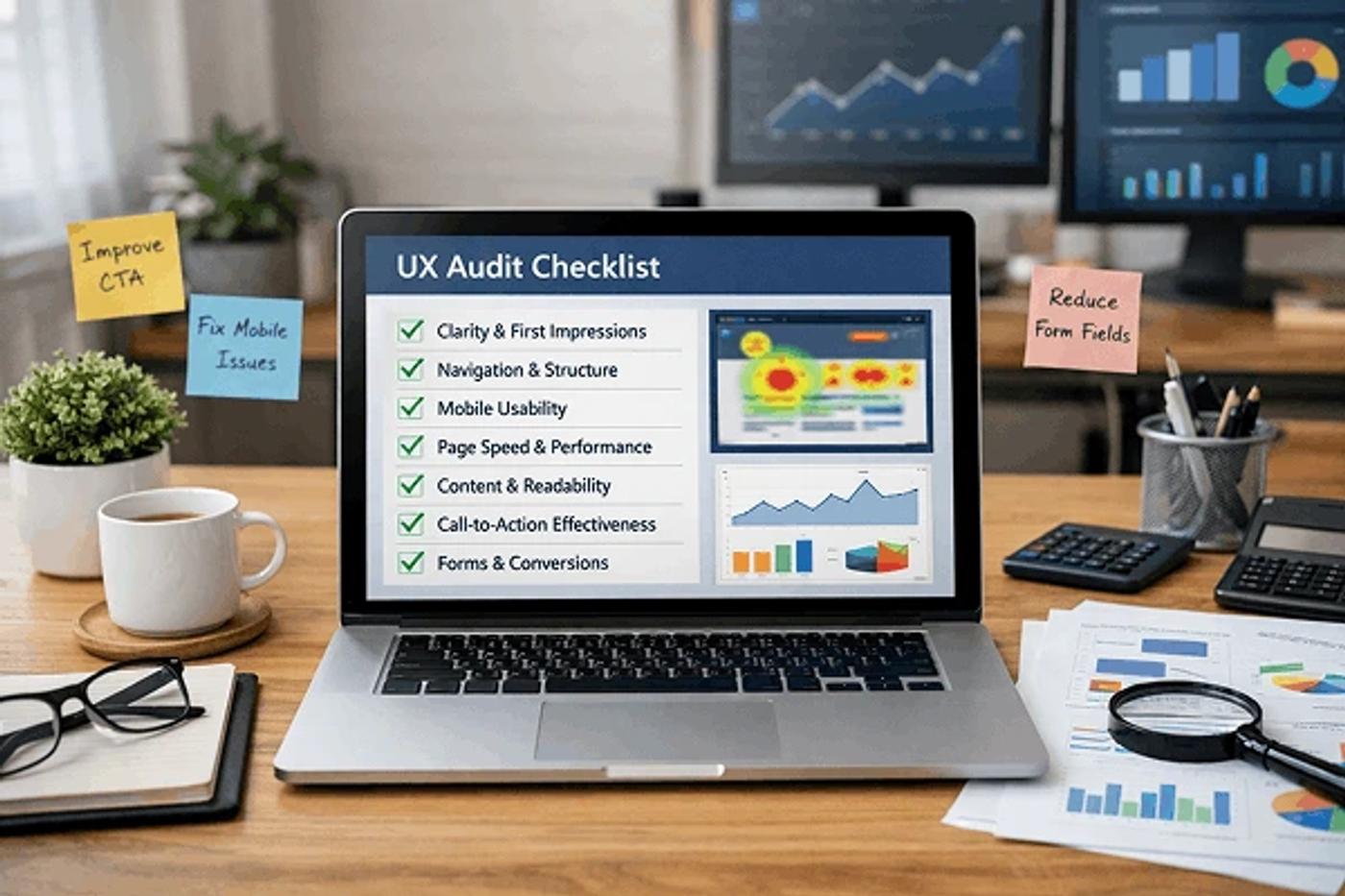
A website UX audit is a strategic review of how real users experience your site, from coming to your site to taking actions. It checks clarity, ease of use, speed, trust and user flow.
It is like a health check of your website.
It reviews:
- Is it easy to understand?
- Can users find what they need quickly?
- Does it feel trustworthy?
- Is it guiding users to take actions?
A proper UX audit will answer all these questions with data, not guesses.
Why business websites need a UX audit?
The following things happen without a UX review checklist:
- Bounce rate increases as pages feel confusing.
- Mobile visitors find it difficult to navigate.
- CTAs are not properly placed.
- Due to low engagement SEO ranking drops.
A business website UX checklist helps you correct unnoticed problems before they impact revenue.
Real scenario :
A local service business had good traffic but low enquiries. A thorough UX audit revealed:
- Phone number placed incorrectly for mobiles.
- Long forms.
- No reviews or testimonials.
- No proper mention of services.
After fixing all these mistakes, leads increased by 42% in 60 days.
UX audit checklist for business websites
1. Clarity and first impression check
Ask the following questions:
- Is it clear what the business does in 5 seconds?
- Is the main headline simple and service focused?
- Is the main CTA visible without scrolling?
UX audit best practices:
Use clear value focused statements like :
” Website Design For Small Businesses That Convert ”
2. Navigation and structure review
This is one of the most important part of website UX audit process.
Check the following:
- Menu has 5 to 7 items max.
- Labels are simple.
- No hidden or confusing drop-downs.
- Logo links back to the homepage.
3. Mobile UX audit

This cannot be ignored as more than 70% of users come from mobile for most businesses.
Mobile UX audit steps for business websites:
- Buttons are easy to tap for mobiles.
- Text is readable.
- Forms are thumb-friendly.
- Sticky CTA or Call button exists.
If your site works on mobile but structure breaks then it will impact trust and conversion negatively.
4. Page speed and performance
A slow website kills UX and SEO.
Website usability audit checklist:
- Page load under 3 seconds.
- Images are optimized.
- Minimal use of animations.
- Only necessary popups.
Fast sites increases trust while slow ones feels broken even if they are not.
5. Content and readability audit
Important points for good user experience:
- Short paragraph.
- Clear subheadings.
- Simple language.
- Bullet points for quick understanding.
UX audit example:
If users skim but doesn’t read then your content structure needs improvement.
6. Call to action (CTA) effectiveness
Your CTAs should guide users towards the next action.
UX review checklist :
- One primary CTA per page.
- Action oriented text.
- CTA matches page intent.
- Buttons should be placed strategically for mobile.
7. Forms and conversion flow audit
UX evaluation checklist for forms :
- Add only essential fields.
- Clear error message.
- Trust signal near forms.
- Confirmation after submission.
Real world example :
Reducing a form from 7 fields to 4 increased leads for a business website by 40%.
8. Trust and credibility signals
Users won’t convert if they don’t trust you.
Business website UX checklist includes :
- Real testimonials
- Client logos
- Certification or awards
- Clear contact details
- About page with real faces
Trust is an important part of UX, which supports conversions.
9. Accessibility and inclusivity review
Good UX makes things easy for everyone.
Important checklist :
- Readable contrast
- Proper font sizes
- Clear navigation
- Alt text for images
Accessibility improvements makes improvement in SEO and engagement.
10. Analytics and behaviour review

UX audit should track user data strategically.
UX audit tools to use :
- Heatmaps (to see clicks and scrolls)
- Session recordings
- Google Analytics
- Search console
Look for :
- High bounce pages.
- Drop-off in funnels.
- Pages users ignore.
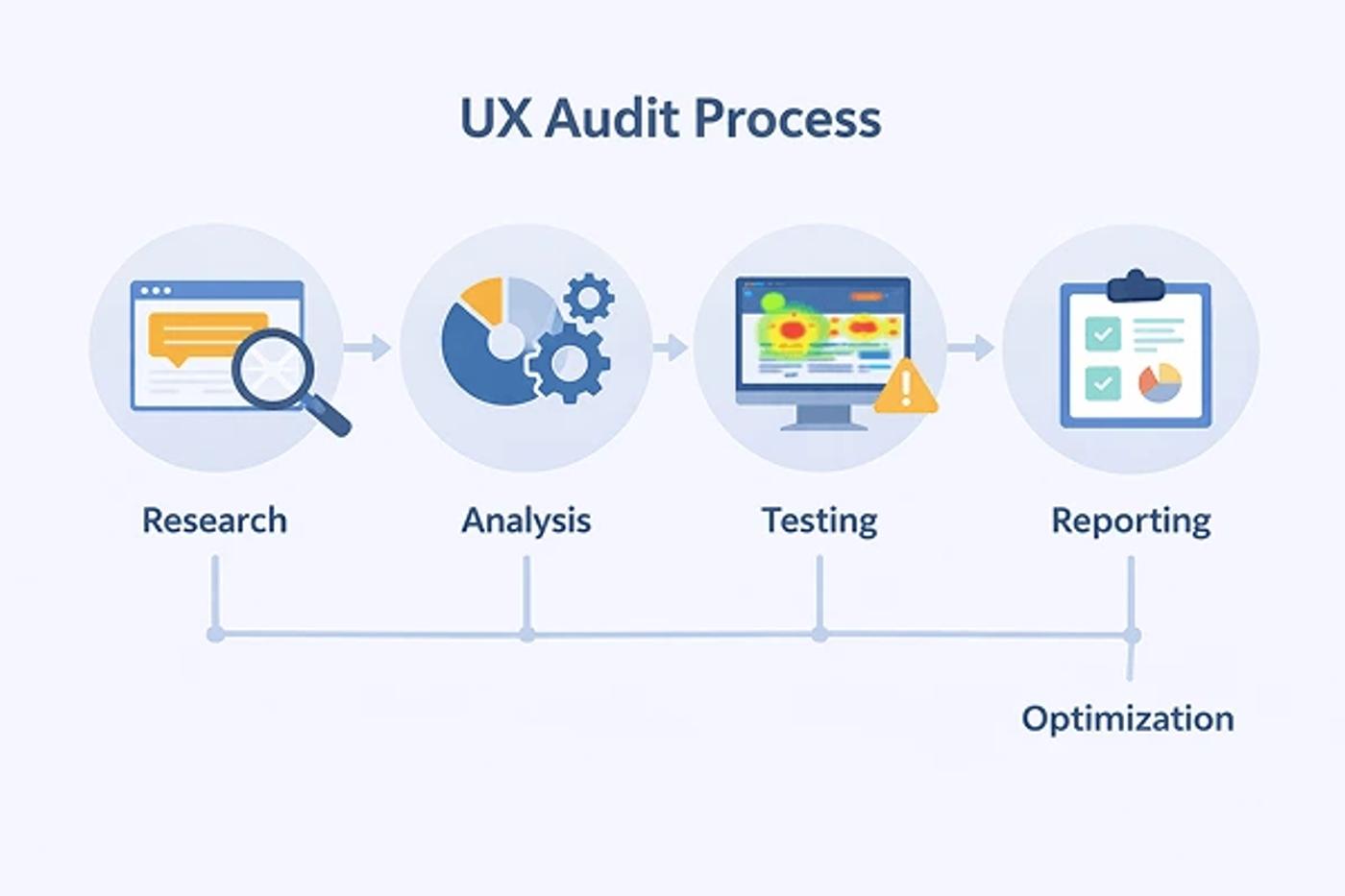
UX audit report checklist
A proper UX audit report checklist includes :
- Issues found
- Impact on users and business
- Priority
- Recommended fixes
- Expected outcome
This makes UX actionable not theoretical.
Common UX audit mistakes and how to fix them

Problem : Audit only website design.
Fix : Review user behaviour and intent.
Problem : Ignoring mobile users.
Fix : Start mobile first design.
Problem : Addressing everything at once.
Fix : Fix high impact issues first.
Problem : Skipping real users.
Fix : Use actual data and feedback.
Benefits of a UX audit for business websites
A proper and thorough UX audit will help you reach :
- Higher conversion rates.
- Better SEO rankings.
- Lower bounce rate.
- Increased trust and credibility.
- Better ROI on ads and content.
UX is not about decoration, it’s about results.
Actionable takeaways
- Audit your website every 6 to 12 months.
- Focus on clarity over creativity.
- Optimize mobile UX first.
- Treat UX as a business tool.
A proper UX audit checklist for business websites helps you grow without increasing ad spend.
Conclusion :
Doing UX audit for a business website is not an option it’s a necessity for your online business growth. If users struggle to find what they need then your business suffers from lost leads, trust and revenue.
With a proper UX audit framework, reviewing user behaviour and fixing critical issues early, your website can support your business goals and bring real results.
Frequently Asked Questions
1. What is included in a UX audit for websites?
A UX audit includes usability, navigation, mobile experience, content clarity, speed, trust signals, and conversion flow analysis.
2. How often should businesses do a UX audit?
Every 6 to 12 months or after major updates, redesign or traffic drop.
3. Can a UX audit improve SEO?
Yes. Good UX increases engagement, lowers bounce rates and supports SEO for better ranking.
4. Are UX audits only for big websites?
No. Small business websites can bring desired results with small fixes.
5. Do I need tools for a UX audit?
Basic audits can be manual but UX audit tools like Heatmaps and Analytics provide deeper insights.


